{{text}}
Share
Creating a Webflow site without a method exposes you to errors that degrade SEO, performance and user experience. According to a 2024 Google study, 53% of visitors leave a mobile site if the load exceeds 3 seconds, making each technical error doubly penalizing.
Les Webflow site creation errors the most common ones concern both the structure of the code and the optimization of content. Chez Synqro, Webflow and SEO agency in Paris, we have supported more than 150 projects and identified the recurring pitfalls that hinder performance. This article details the 10 major mistakes, explains their consequences, and suggests proven solutions to avoid them. Whether you are launching your first project or if you want to audit an existing site, this Webflow guide will save you a lot of time.
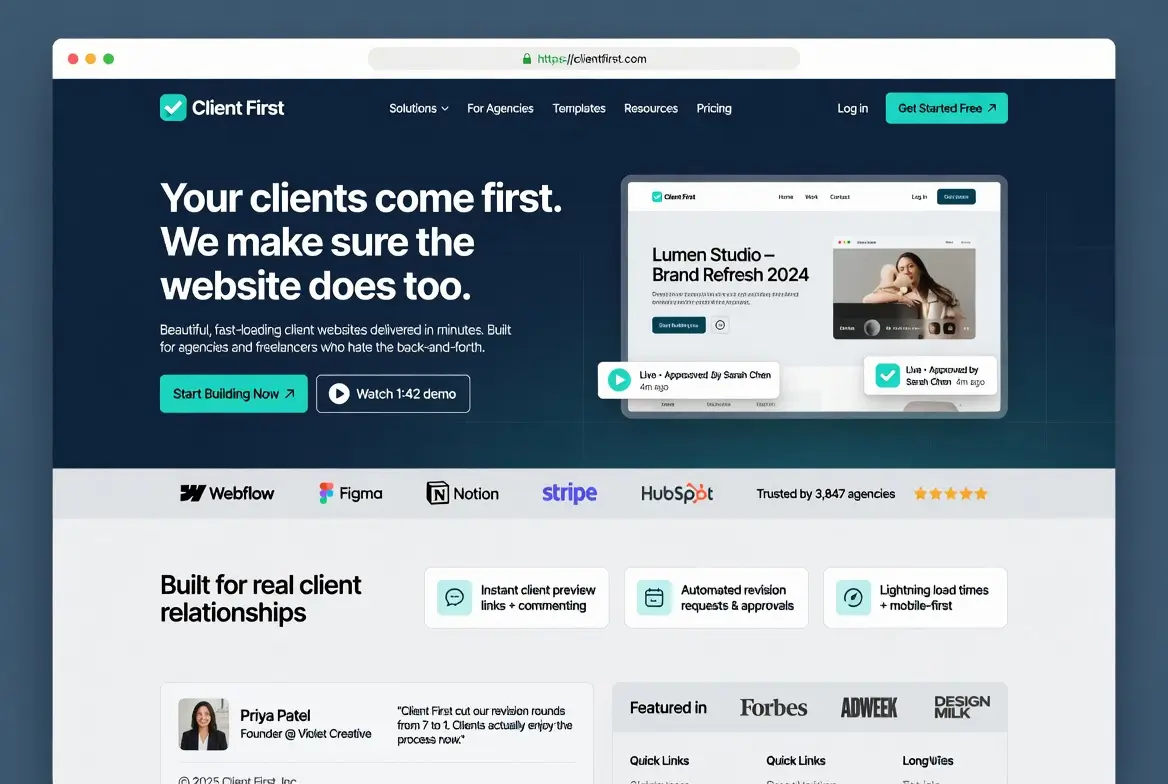
Why is not structuring your project with Client-First a critical error?
Client-First is the naming and structuring methodology recommended by Finsweet, adopted by the majority of professional Webflow agencies. Not using it is like building a building without an architect's plan: everything works at first, but maintenance becomes a nightmare.
- Designer : without a naming convention, classes accumulate in an anarchic way and two developers cannot collaborate effectively on the same project
- Maintenance : a 2023 Finsweet study reveals that unstructured projects require 2 to 3 times more time during updates
- Transfer : when a client changes service provider, a project without Client-First often requires a complete redesign of the code
- Scalability : adding new pages or sections becomes risky because modifying a class can break other elements of the site
The solution is to adopt Client-First from day one of the project. At Synqro, Certified Partner Premium, this methodology is an integral part of our workflow. Each class follows a logical nomenclature (component, utility, global) that guarantees the readability and sustainability of the project.
Ignore responsive design at the design stage
According to Statista, mobile traffic represents 59.4% of global web traffic in 2025. Designing a Webflow site only on desktop, then trying to adapt the rendering on tablet and mobile, is one of the most common Webflow site creation mistakes.
- Layout : the elements that work on the desktop overflow or overlap on the reduced screens, which makes visitors flee
- SEO impact : since Google's mobile-first indexing, a poorly adapted site loses positions in the search results
- Duplication : correcting the responsive after the fact takes up to 40% of the initial development time, according to feedback from our teams
- Bounce rate : a mobile user confronted with a button that is too small or an illegible text leaves the site in less than 10 seconds
To learn more about best practices for mobile adaptation, check out our A guide to responsive design on Webflow. The golden rule: design the mobile layout first, then gradually enrich it to the desktop.
How is technical SEO often overlooked on Webflow?
Webflow offers powerful native SEO features, but you still need to configure them correctly. Too many creators focus on design and forget the technical fundamentals that allow Google to index and understand the site.
- Hn Tags : using an H3 before an H2 or placing several H1 on the same page prevents Google from understanding the structure of the content
- Alt attributes : 68% of sites audited by Semrush present images without alternative text, which penalizes accessibility and image referencing
- Sitemap : Webflow generates an automatic sitemap, but pages that are draft or excluded manually can create inconsistencies
- Meta titles : each page must have a unique meta title of 50 to 60 characters and a meta description of 145 to 165 characters
For a global approach to technical referencing on Webflow, our article on Webflow SEO strategy details each step. A regular technical audit, for example with Google Lighthouse, makes it possible to detect these omissions before they impact the ranking.

The accumulation of unorganized classes and its consequences
In Webflow, each style applied generates a CSS class. Without discipline, a 20-page project can easily reach 300 to 500 classes, half of which are duplicates or unnecessary variants. This disorganization is one of the most insidious Webflow site creation mistakes, because it is not visible to the visitor.
- CSS : each unused class adds bytes to the CSS file loaded by the browser, which slows down First Contentful Paint
- Conflicts : two classes with similar names but different properties cause visual bugs that are difficult to diagnose
- Collaboration : a developer who joins the project wastes a considerable amount of time understanding the naming logic
- Design system : without its own utility classes, each component must be styled manually
The application SynqPro, available on the Webflow Marketplace and developed by Synqro, precisely helps to audit and clean unused classes. Combining this tool with the Client-First methodology guarantees a clean and scalable project.
Why is image optimization so often forgotten?
Images represent on average 50% of the total weight of a web page according to HTTP Archive. On Webflow, it is tempting to import visuals directly from Unsplash or Figma without optimizing them, which considerably increases the loading time.
- Format : using PNG for a photo instead of WebP can multiply the size of the file by 3 to 5
- Lazy loading : loading all images as soon as the page loads slows down Largest Contentful Paint, a Core Web Vitals indicator
- Dimensions : importing a 4000 px wide image for an 800 px display wastes bandwidth
- Alt text : beyond SEO, the absence of alternative text makes the site inaccessible to screen reader users
Our comprehensive guide tooptimizing images for SEO details the complete procedure. On Webflow, always activate native lazy loading and convert your visuals into WebP before import. At Synqro, we have reduced the weight of the pages on the Muchbetter.ai site by 62% thanks to this optimization alone.

Excessive animations and impact on performance
Webflow excels in creating interactions and animations. This power pushes some creators to abuse it, transforming a showcase site into an experience that roams 75% of the devices used by real visitors.
- JavaScript : each Webflow interaction generates JS code that runs on load, increasing the Total Blocking Time
- Scroll : parallax effects and complex transitions cause jerks (jank) on entry-level devices
- CLS : elements that move during loading disturb visual stability and penalize the CLS score
- Accessibility : users who are sensitive to movements (vestibular disorders) cannot navigate comfortably without prefers-reduced-motion option
The rule we apply at Synqro: each animation must serve a specific UX objective (guide attention, confirm an action, streamline a transition). If it is purely decorative, it should be removed or made optional. During the redesign of the Qobra site, this approach contributed to multiplying the number of leads by 3 by combining performance and impacting design.
How does the lack of a CMS strategy penalize your site?
The Webflow CMS is a powerful tool for managing dynamic content: blog articles, service pages, customer testimonials. However, 45% of the Webflow sites we audit do not use the CMS or use it incorrectly.
- Static pages : creating each blog post manually instead of using a CMS collection makes updating tedious
- Template : without a CMS page template, each new content looks different, undermining brand consistency
- SEO collections : the meta title, meta description and Open Graph fields of CMS items often remain empty
- Internal networking : without relational fields between collections, contextual links between contents do not exist
To discover the fundamentals of Webflow and its CMS, our pillar page brings together all the necessary resources. A well-thought-out CMS strategy from the start facilitates content production, SEO and site scalability.
Ignoring Core Web Vitals: a major SEO risk
Core Web Vitals are the performance indicators that Google has used as a ranking factor since 2021. According to an analysis by Searchmetrics, sites that meet the recommended thresholds have an average ranking advantage of 24% compared to those that fail them.
- LCP : loading the largest visible element in more than 2.5 seconds signals a slow site to Google
- INP : a response time greater than 200 ms after a click frustrates the user and penalizes the interactivity score
- CLS : A score greater than 0.1 indicates items that move while loading, which Google considers to be a poor experience
- Impact : on the Muchbetter.ai project, the optimization of Core Web Vitals by Synqro made it possible to go from orange scores to 100% green metrics
For a detailed action plan, see our guide to 11 steps of Webflow SEO optimization. Regularly measuring these indicators via Google PageSpeed Insights or Lighthouse is essential to maintain the competitiveness of the site.

Forget 301 redirects during a migration
Migrating a site to Webflow without setting up 301 redirects is equivalent to moving without leaving a tracking address. Older URLs continue to receive traffic, but return 404 errors that cause SEO rankings to drop. According to Moz, a page that loses its redirection loses up to 90% of its accumulated authority.
- SEO juice : every backlink pointing to an old URL that returns a 404 wastes the domain authority built up over the months
- UX : a visitor who clicks on a Google result and comes across a 404 page immediately leaves the site
- Search Console : a wave of 404 errors triggers warnings and can slow down Googlebot's exploration of the site
- Campaigns : links shared on social networks or in newsletters become invalid
Our guide dedicated to 301 redirects on Webflow explains how to map each old URL to its new destination. At Synqro, we prepare a complete redirections file before each migration, tested URL by URL to ensure zero traffic loss.
Why is skipping the pre-release testing phase dangerous?
Rushing is the enemy of a successful launch. Publishing a Webflow site without a structured test phase exposes to bugs visible to the first visitors, which damages the credibility of the brand. According to an IBM study, fixing a bug in production costs 6 times more than detecting it during the test phase.
- Links : anchors that point to non-existing pages or staging URLs create 404s from day one
- Forms : a contact form that does not send a notification causes each submitted lead to the loss of each lead
- Cross-browser : a perfect site on Chrome may have bugs on Safari or Firefox if CSS properties are not supported
- Performance : without Lighthouse testing before release, speed issues are discovered by users rather than by the team
At Synqro, with an average score of 4.9/5 out of 41 customer reviews, the QA (quality assurance) phase is part of every project. We test on at least 5 browser/device combinations, check each form and validate performance before going live.
Frequently asked questions about Webflow site creation errors
What is the most common mistake when creating a Webflow site?
The most common mistake is not to structure the project with a methodology like Client-First. Without a clear naming convention, CSS classes accumulate in a disorderly manner and make maintenance nearly impossible. This error is all the more problematic as it is not immediately visible. The consequences appear several months after launch, when updates become time-consuming and each change risks breaking another element of the site. Adopting Client-First from day one avoids this trap.
How do I check if my Webflow site contains technical SEO errors?
The quickest way is to use Google Lighthouse, which can be accessed directly in Chrome's developer tools. Run an audit on each key page of your site and check the Performance, Accessibility, Best Practices and SEO scores. Complete with Google Search Console to identify crawl errors, unindexed pages, and Core Web Vitals issues. For a thorough audit, tools like Screaming Frog or Semrush can scan the entire site and detect missing tags, broken links, and non-optimized images.
Is it possible to correct these errors after the site is online?
Yes, all the errors mentioned in this article are correctable after publication. However, the cost and time required are increasing significantly. Reorganizing the CSS classes of a 50-page site can require several days of work. Setting up 301 redirects after a migration has already caused a loss of traffic. Optimizing images after the fact involves reworking each visual one by one. The best approach remains preventive: integrate these best practices from the design phase to avoid costly corrections.
What is the real impact of Core Web Vitals on the SEO of a Webflow site?
Core Web Vitals have been a ranking factor confirmed by Google since 2021. In practice, a site that fails all three metrics (LCP, INP, CLS) is at a disadvantage compared to a competitor who respects them, with equal content. The impact is particularly visible on competitive queries where the first results are very similar in relevance. On the Muchbetter.ai project supported by Synqro, the optimization of Core Web Vitals made it possible to achieve 100% green metrics and a measurable improvement in organic positioning.
Why use a certified Webflow agency to avoid these mistakes?
A Webflow certified agency, like Synqro, which has Premium Certified Partner status, masters the technical pitfalls specific to the platform. The experience accumulated on more than 150 projects makes it possible to anticipate errors before they occur. The SynqPro application, developed by Synqro and available on the Webflow Marketplace, illustrates this technical expertise. Using a certified partner reduces the risk of errors, speeds up delivery times and guarantees a successful site from the start.
How do I avoid SEO cannibalization between the pages of my Webflow site?
SEO cannibalization occurs when multiple pages target the same query and compete in Google results. To avoid this, define a single target query per page and check in Google Search Console that no other URLs rank on the same terms. Organize your content into pillar pages and satellite articles with a clear internal mesh. On Webflow, use CMS fields to structure the meta data for each page and maintain consistent keyword mapping across the site.
Webflow site creation errors are numerous, but none is inevitable. A structured methodology, constant attention to performance and expert support transform these potential pitfalls into competitive advantages. Synqro supports companies at each stage of their Webflow project, from design to continuous optimization. Contact our team for a free audit of your site and find out how to avoid these 10 mistakes as early as your next project.
Synqro's latest achievement